Demium Games
  • Home
  • Betting
    • Betting Sites
    • Online Casinos
    • Online Slots
  • News
  • Reviews
  • Game Guides
  • Esports
  • Platforms
    • Mobile Gaming
    • PC Gaming
    • PlayStation
    • Xbox
    • Nintendo Switch
  • Home
  • Betting
    • Betting Sites
    • Online Casinos
    • Online Slots
  • News
  • Reviews
  • Game Guides
  • Esports
  • Platforms
    • Mobile Gaming
    • PC Gaming
    • PlayStation
    • Xbox
    • Nintendo Switch
No Result
View All Result
Demium Games
No Result
View All Result
Home Gaming News

Google Play Games on PC: Requirements, Save Sync and What Mobile Players Should Know

Ethan Brooks by Ethan Brooks
November 1, 2026
in Gaming News, Mobile Gaming, Mobile Gaming News
0 0
0
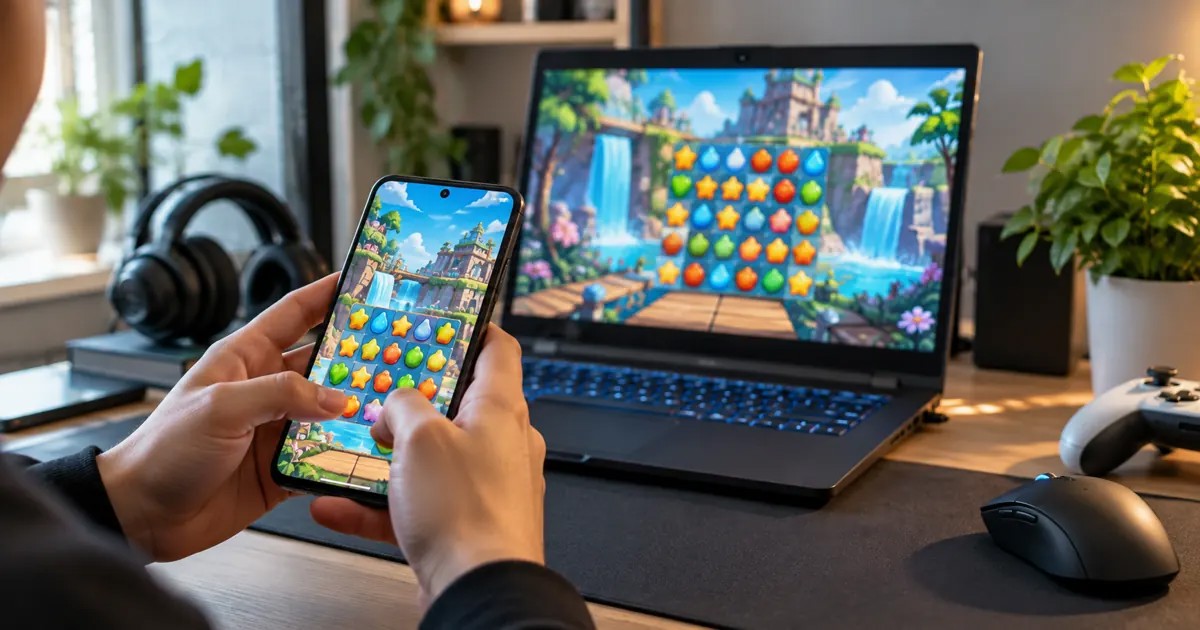
Illustrative photo-style scene of playing mobile games on a smartphone beside a Windows laptop

Mobile gaming is no longer limited to a phone screen. Google Play Games on PC lets eligible players access participating Android games on Windows, with keyboard and mouse input and progress syncing in supported titles. But the experience is not the same as installing every Android app on a computer.

Before downloading, players should check the game’s availability, their PC specifications, and how its account and save system works.

What Is Google Play Games on PC?

Google Play Games on PC is Google’s Windows gaming platform for supported mobile titles. Its official help documentation explains that players can use a keyboard and mouse, access eligible games and synchronize progress between devices. Availability depends on the title and region; a game you play on Android is not automatically available in the PC catalog.

Minimum Windows PC Requirements

According to Google’s published requirements, the baseline includes Windows 10 version 2004 or newer, an SSD with at least 10 GB of free space, 8 GB of RAM, a processor with four physical CPU cores and graphics comparable to Intel UHD Graphics 630. An administrator account and enabled hardware virtualization are also required.

Google recommends stronger hardware for a smoother experience, including eight logical CPU cores and gaming-class graphics. Meeting the minimum specifications does not guarantee identical performance across every title.

Will Your Mobile Game Progress Carry Over?

Google describes progress syncing between mobile and PC as a supported feature of Google Play Games on PC. In practice, players should confirm that a particular game is available on both devices and that the same account is connected. Games with separate publisher accounts or their own account-linking rules may require additional steps.

Before moving between devices, make sure the game has finished saving and syncing. If the game displays a cloud-save or account-linking status, check it rather than assuming the latest progress has already transferred.
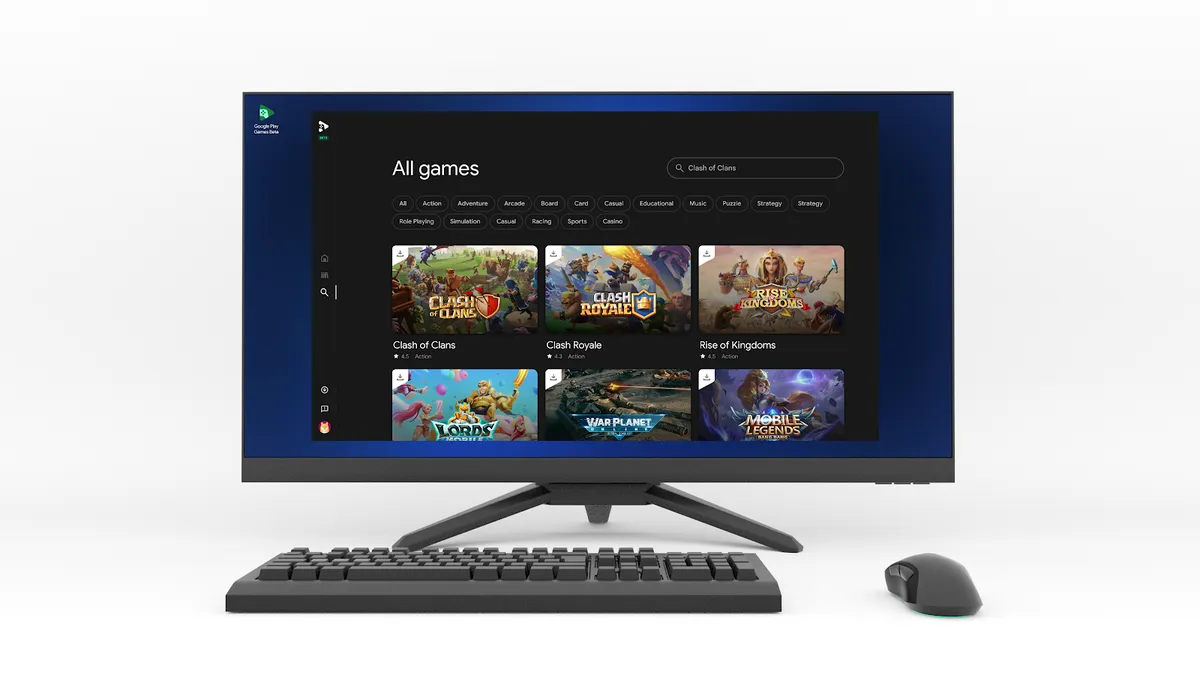
Google Play Games on PC catalog with the search feature highlighted in Google's official reference image
Source: Google. This October 2023 reference image illustrates searching the PC catalog. The current interface and available titles can differ by software version and region; it is not a screenshot of our own testing.

How to Prepare Your PC

  1. Confirm that your Windows version, RAM, processor and storage meet Google’s minimum requirements.
  2. Check whether hardware virtualization is enabled in your PC’s firmware settings.
  3. Visit Google’s official Google Play Games on PC download page.
  4. Browse the available game catalog and look for compatibility notices.
  5. Sign in with the appropriate Google account, and verify account linking inside each game if needed.

What About Controls and Performance?

Keyboard and mouse support may make some mobile games more comfortable on a desktop, especially if you prefer a larger screen. However, controls vary by game, and performance depends on the hardware and the title. Google’s catalog can warn players when a game may not perform well on their computer.

Think of Google Play Games on PC as another supported place to play participating mobile games, rather than a universal way to run any mobile game.

Why Some Android Games Are Missing

Google Play Games on PC does not include every Android title. Game availability can differ by region, publisher support and technical compatibility. Before installing unofficial third-party software, consult Google’s supported catalog and the game’s own developer.

Setup and Progress Troubleshooting

  1. Check Windows, SSD space, RAM and virtualization requirements against Google’s official support documentation.
  2. Confirm that the game appears in the Google Play Games on PC catalog in your region.
  3. Use the correct Google account and check any additional game-specific publisher login.
  4. Finish syncing on the phone before launching on a PC; do not assume all titles migrate every save automatically.
  5. Check the official help center for error messages before adjusting system security settings.

For an explanation of why shared play and synced saves are different, read our cross-play versus cross-progression guide.

The Bottom Line

For players who already use Android, Google Play Games on PC can be a convenient alternative for compatible games. Check the catalog, system requirements and account-sync behavior first, particularly before investing more time in a game across two devices.

Official source: Google Play Help — Check if your PC can run Google Play Games on PC.

Share
Tweet
Previous Post

Nintendo Switch Games on Switch 2: Compatibility and Upgrade Options

Next Post

Steam Cloud Saves Explained: How PC Game Progress Syncs Between Computers

Ethan Brooks

Ethan Brooks

Ethan Brooks covers gaming news, esports, and industry developments for Demium Games. His articles focus on clearly explaining announcements, game updates, competitive events, and changes affecting players. His reporting prioritizes primary sources, accurate context, and transparent attribution.

Next Post
Photographic PC gaming setup with monitor and keyboard

Steam Cloud Saves Explained: How PC Game Progress Syncs Between Computers

Leave a Reply Cancel reply

Your email address will not be published. Required fields are marked *

  • Trending
  • Comments
  • Latest
Illustrated editorial banner for Hades II review featuring fantasy combat art and Demium Games 8.8 out of 10 assessment

Hades II Review (2026): Combat, Progression, Story and Our 8.8/10 Verdict

November 1, 2026
Illustration of Nintendo Switch Sports Resort sports and motion controls

Nintendo Switch Sports Resort: All 12 Sports and How the Motion Controls Work

November 1, 2026
Phantom Blade Zero actual gameplay scene showcasing combat parry

Phantom Blade Zero Review (2026): Combat, Bosses, Story and Verdict

November 1, 2026
Gaming controller representing cross-platform multiplayer and cross-play

Cross-Play vs Cross-Progression: What Gamers Need to Know

November 1, 2026
Gaming setup with computer and gaming equipment for choosing a gaming platform

How to Choose a Gaming Platform: PC, PlayStation, Xbox, Nintendo or Mobile

0
Gaming controller representing cross-platform multiplayer and cross-play

Cross-Play vs Cross-Progression: What Gamers Need to Know

0
Illustration of Nintendo Switch Sports Resort sports and motion controls

Nintendo Switch Sports Resort: All 12 Sports and How the Motion Controls Work

0
Illustration of PlayStation Plus November 2026 monthly games

PlayStation Plus November 2026 Games: Dead Island 2, Tomb Raider and Monster Train 2

0
Official Xbox screenshot illustrating the compatibility settings discussed in the FPS Boost announcement

Xbox Smart Delivery Explained: Free Upgrades, Backward Compatibility and Game Versions

November 3, 2026
Official Supercell promotional image for the launch of Clash of Clans and Clash Royale on PC

How to Play Clash of Clans on PC and Keep Your Existing Village

November 2, 2026
Official Hades II character artwork published by Supergiant Games on the game's Steam page

Hades II Controller Not Working on PC? Steam Input and Bluetooth Checks

November 2, 2026
Phantom Blade Zero actual gameplay scene showcasing combat parry

Phantom Blade Zero Review (2026): Combat, Bosses, Story and Verdict

November 1, 2026

Recommended

Official Xbox screenshot illustrating the compatibility settings discussed in the FPS Boost announcement

Xbox Smart Delivery Explained: Free Upgrades, Backward Compatibility and Game Versions

November 3, 2026
Official Supercell promotional image for the launch of Clash of Clans and Clash Royale on PC

How to Play Clash of Clans on PC and Keep Your Existing Village

November 2, 2026
Official Hades II character artwork published by Supergiant Games on the game's Steam page

Hades II Controller Not Working on PC? Steam Input and Bluetooth Checks

November 2, 2026
Phantom Blade Zero actual gameplay scene showcasing combat parry

Phantom Blade Zero Review (2026): Combat, Bosses, Story and Verdict

About Us

Demium Games covers video game news, reviews, guides and gaming culture across PC, PlayStation, Xbox, Nintendo and mobile. We focus on clear reporting and useful editorial analysis. Read more

Categories

  • Beginner Guides
  • Game Guides
  • Game Reviews
  • Game Tips & Tricks
  • Gaming Features
  • Gaming News
  • Mobile Gaming
  • Mobile Gaming News
  • Nintendo News
  • PC
  • PC Reviews
  • PlayStation News
  • PlayStation Reviews
  • PS4
  • Switch
  • Xbox One

Tags

Action Games Action Roguelike Clash of Clans Cross-Platform Cross-Play Game Design Game Guides Game Performance Game Releases Game Reviews Gaming Features Gaming News Hades II Minecraft Mobile Gaming Multiplayer Nintendo Switch PC Gaming PlayStation PlayStation Plus Sports Games Xbox
  • About Us
  • Advertise
  • Privacy Policy
  • Write For Us
  • Contact Us

© 2026 Demium Games. All Rights Reserved.

Welcome Back!

Login to your account below

Forgotten Password?

Retrieve your password

Please enter your username or email address to reset your password.

Log In
No Result
View All Result
  • Home
  • Betting
    • Betting Sites
    • Online Casinos
    • Online Slots
  • News
  • Reviews
  • Game Guides
  • Esports
  • Platforms
    • Mobile Gaming
    • PC Gaming
    • PlayStation
    • Xbox
    • Nintendo Switch

© 2026 Demium Games. All Rights Reserved.