
Contents: Where Can You Watch Esports Live? | Best Platforms for Watching Esports | How to Find Official Esports Live Streams | How to Watch Different Esports Games | Live Streams vs Esports Replays | Tips for First-Time Esports Viewers | FAQs About Watching Esports
Where Can You Watch Esports Live?
Unlike conventional sports leagues such as the NFL or Premier League—where matches are sold to regional television networks under exclusive, paywalled distribution deals—the esports industry was built on open internet culture. Consequently, the vast majority of competitive gaming broadcasts are accessible worldwide at zero cost.
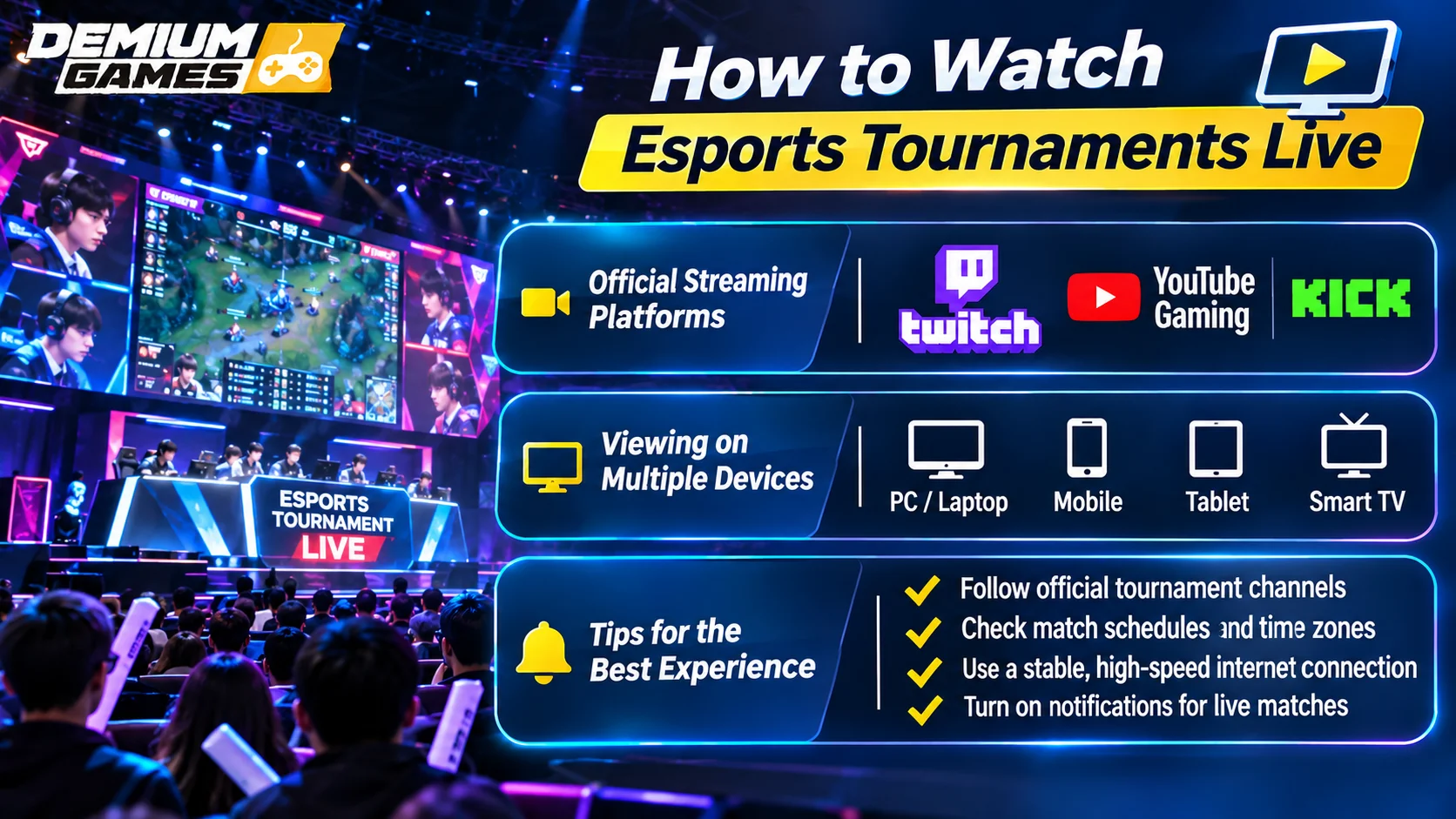
At Demium Games, we emphasize that watching competitive video games does not require specialized hardware or paid cable subscriptions. High-tier tournaments are distributed across major streaming platforms, browser-based publisher hubs, and even directly inside the game clients themselves. However, because no single company owns all esports, no single channel broadcasts every tournament. Broadcasters change depending on the video game title, the tournament organizer running the event, and the commercial media rights negotiated for that competitive calendar year.
| Platform | Common Content | Live / VOD | How to Verify Official Streams |
|---|---|---|---|
| Twitch | CS2, Valorant, Dota 2, FGC, creator watch parties | Live broadcasts and Past Broadcasts (VODs) | Look for verified purple checkmarks and official league handles |
| YouTube Gaming | League of Legends, Call of Duty, Mobile Legends, PUBG Mobile | Live streams and permanent 4K video archives | Check for official channel verification badges and publisher links |
| Official Websites | LoL Esports, Valorant Champions Tour, Overwatch | Live matches with synchronized real-time data overlays | Verify first-party domain ownership (e.g., official publisher URLs) |
| In-Game Clients | Counter-Strike 2 (GOTV), Dota 2 (Dota TV) | Live server feeds and downloadable demo replays | Access exclusively from the game’s authenticated main menu |
Best Platforms for Watching Esports
While hundreds of websites host video content, primary tournament broadcasts operate primarily across three main destinations. Each platform offers unique advantages depending on whether you value chat interaction, technical playback quality, or real-time match statistics.
Twitch
Twitch remains the cultural heart of Western esports broadcasting. Developed specifically around gaming, the platform excels at creating a shared stadium atmosphere through fast-moving chat reactions, custom emotes, and interactive channel extensions.
Major organizers such as ESL FACEIT Group, BLAST, and PGL maintain dedicated channel networks on Twitch. The platform is also the epicenter for community “watch parties,” where retired professional players and prominent influencers stream alongside the main feed, providing relaxed commentary and high-level analytical breakdowns.
YouTube Gaming
YouTube Gaming has established itself as an indispensable platform for esports tournament streams, particularly across mobile gaming circuits and select franchised leagues.
From a technical perspective, YouTube delivers an exceptional viewing experience. Viewers can pause a live stream, rewind ten seconds to dissect an explosive teamfight, and smoothly return to the live broadcast without buffering delays. Furthermore, YouTube archives every full-length match automatically, making it the best platform for viewers catching up after work or school.
Official Tournament Websites
Many premier publishers host dedicated viewing hubs directly on their own websites. The prime example is the LoL Esports official website, which delivers customized multi-stream players, instant schedule conversions for local time zones, and direct integration with your game account.
These publisher portals often reward viewers with digital items called “Drops” (such as in-game icons, weapon skins, or titles) simply for staying logged in while matches are live. To explore our broader tournament analysis and competitive breakdowns, visit our dedicated Esports category.
How to Find Official Esports Live Streams
Because anyone can launch a livestream on open platforms, new viewers can occasionally stumble into unofficial re-broadcasts, clickbait restream channels, or outdated replays disguised as live action. Follow these concrete steps to locate authentic, sanctioned tournament feeds:
- Consult the Publisher or Organizer Schedule: Reliable tournament organizers publish official broadcast listings on their official websites and verified social channels well in advance of match days.
- Verify Channel Authenticity: Official channels on Twitch and YouTube carry verification checkmarks next to their channel names. Avoid channels with misspelled names, low bitrates, or third-party links requesting personal account credentials.
- Reference Structured Calendars: You can reference our comprehensive esports tournament calendar to confirm match dates, start times, and participating rosters before searching for streams.
- Use Trusted Community Aggregators: Community-curated databases such as Liquipedia, HLTV (for Counter-Strike), and VLR.gg (for Valorant) provide real-time match match tickers with direct hyperlinks to official multilingual broadcasts.
How to Watch Different Esports Games
Every competitive title features its own tournament ecosystem and broadcasting infrastructure. Here is where to look for the world’s most popular esports disciplines:
League of Legends
Riot Games organizes League of Legends competitions into structured regional leagues (LCK, LPL, LEC, LCS, VCS) that culminate in international tournaments: the Mid-Season Invitational (MSI) and the World Championship (Worlds). All sanctioned matches are streamed simultaneously across YouTube, Twitch, and publisher portals with commentary feeds available in dozens of languages.
Valorant
The Valorant Champions Tour (VCT) features international leagues alongside global Masters and Champions events. Broadcasts run primarily on the official Valorant Twitch and YouTube channels, supplemented by extensive co-streaming programs where approved community creators react to matches live with their communities.
Counter-Strike 2
Counter-Strike 2 operates through an open-circuit model managed by independent tournament operators like ESL and BLAST rather than a single publisher league. Broadcast locations change depending on who owns the event rights. Valve-sponsored Major championships can also be spectated directly inside the CS2 game client via the GOTV viewer.
Dota 2
Valve’s Dota 2 features high-stakes international invitationals, most notably The International. Fans can watch tournaments through organizer Twitch and YouTube channels, or via “Dota TV” inside the game client. Dota TV provides full free-camera control, real-time gold graphs, and player-perspective tracking.
Live Streams vs Esports Replays
Viewers generally choose between tuning in to real-time broadcasts or watching Video on Demand (VOD) replays after the event concludes. Both options come with distinct trade-offs:
- Watching Live: The live experience delivers authentic emotional drama, unpredictable turnarounds, and communal excitement. You participate in live chat debates and experience clutch moments at the exact second they happen. The downside is rigid scheduling: matches can start at inconvenient hours across different time zones or suffer from technical pauses.
- Watching Replays (VODs): Replays allow you to skip past commercial breaks, studio banter, and setup pauses. You can pause, rewind, and watch matches entirely at your own pace. The primary drawback is navigating the web without getting the match outcome spoiled by social media or video titles.
Tips for First-Time Esports Viewers
If you are tuning into a professional esports tournament for the first time, keep these practical recommendations in mind:
- Adjust Stream Quality Manually: Fast-paced teamfights produce rapid screen motion that can pixelate on automatic settings. Manually set your video resolution to 1080p60 to maintain crisp frame clarity during high-action sequences.
- Choose the Right Commentary Style: Main broadcast desks offer traditional, family-friendly, television-style commentary. If you prefer candid humor and analytical banter, look for official co-stream watch parties hosted by popular veteran creators.
- Account for Time Zone Differences: Major events rotate globally between cities such as Seoul, Berlin, Los Angeles, and Riyadh. Always verify whether an organizer’s schedule displays UTC, local venue time, or your domestic time zone.
- Learn the On-Screen HUD: Spend the first few rounds familiarizing yourself with the heads-up display (HUD). Identify where the broadcast displays mini-maps, player health bars, ultimate ability cooldowns, and team resource tallies.
FAQs About Watching Esports
Do I have to pay to watch esports tournaments live?
No. The overwhelming majority of tier-one esports tournaments are free to watch worldwide on platforms like Twitch and YouTube. A small number of specialized leagues have experimented with premium passes for ad-free feeds or exclusive camera angles, but primary tournament feeds remain accessible at zero cost.
Why are some tournaments on YouTube while others are on Twitch?
Broadcasting rights in esports are negotiated by game developers and third-party tournament organizers. Companies frequently sign exclusive or multi-platform distribution agreements with streaming providers. Consequently, broadcast destinations shift depending on commercial partnerships.
How can I avoid match spoilers when watching replays?
Avoid browsing social media feeds or esports subreddits before watching. Dedicated community websites such as EventVODs provide curated libraries that conceal video progress bars and hide match scores, ensuring the ending remains a surprise.
What is an esports watch party or co-stream?
A watch party (or co-stream) occurs when a tournament organizer licenses official video feeds to selected content creators. These streamers broadcast the match on their personal channels while providing their own reactions, commentary, and chat interaction for their audience.
Can I earn in-game rewards by watching tournaments?
Yes. Many game developers enable “Drops” during major championships. By linking your game account (such as Riot Games, Steam, or Epic Games) to your Twitch or YouTube profile, you can earn exclusive in-game items, titles, and cosmetics by reaching required viewing time milestones.